
At Night Owl your security and privacy are our top priority. To keep your data safe, both our recorders and mobile apps can be password protected. Please follow the steps below if you need assistance resetting your password.
IMPORTANT: Our technical support team cannot provide password resets over the phone or live chat. All password resets must be completed following the steps below.

If you are trying to log in to the mobile app from your smart device, but have forgotten your password, this section is for you. Please choose the mobile app you are using from the options below and then follow the instructions. The reset steps will appear in a short video or article.
 Password Reset |  Password Reset |  Password Reset |
| Night Owl Protect App | Night Owl Connect App | Night Owl X / X HD App |

If you trying to log in to your recorder (DVR, NVR or Wi-Fi NVR) and have forgotten the password, please use our password reset portal. Our portal is compatible with most recorders and provides a secure means of resetting your recorder’s password.
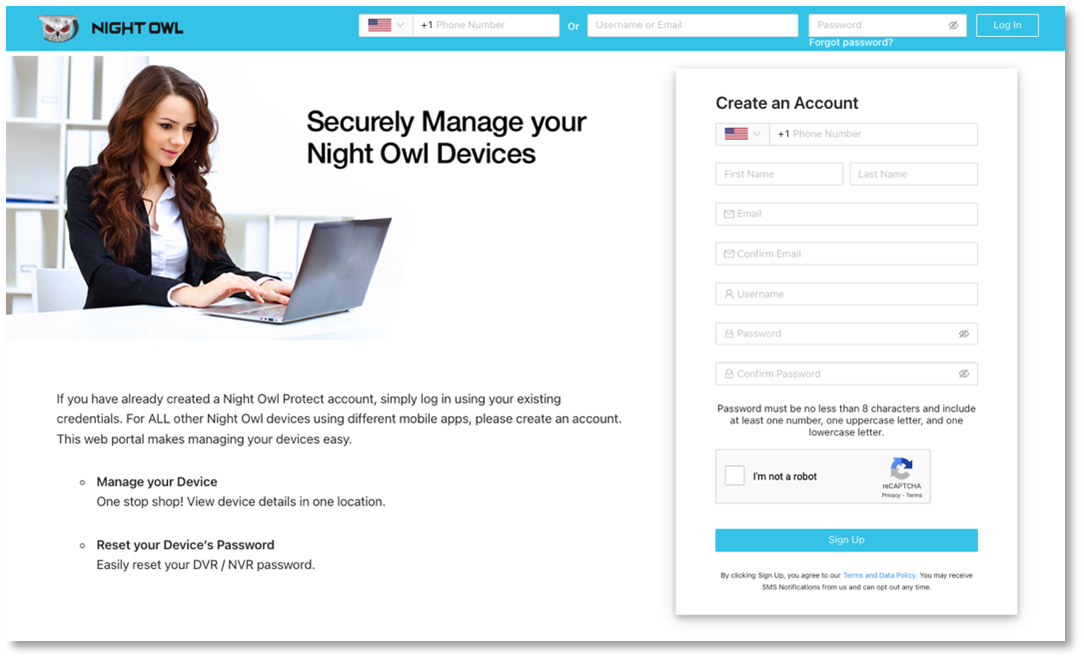
Password Reset Portal Instructions
- Go to www.no-protect.com
- Create an account or log in
- Register your device if you have not already done so
- Click on “View Details”
- On the Device Details page, click on “Reset Code”
- Follow the provided instructions to reset your password
Legacy Recorders
There are a few recorders that are not compatible with our password reset portal. If you have one of these legacy recorders, please find your recorder series listed below and use the Master Reset Code.
| Series | Master Reset Code |
| Apollo, BL, L, P, Poseidon, TL, WMC, Zeus, PRO, WM, BJ, T, BJP, S, ADV | 2x8axc |
| BUL, LTE, STA | 519070 |
| NODVR | 101101 |